Can the Bambu Lab P1S print TPU?
Fits, with limits
The maker lists TPU as ideal for the P1S. Bambu's TPU guide adds that the AMS and AMS 2 Pro cannot feed ordinary TPU.
Limits
- Ordinary TPU cannot be fed through the AMS, AMS lite or AMS 2 Pro. Bambu's own 'TPU for AMS' filament is the exception.
- Bambu's TPU table marks TPU 75A, a softer grade on 2.85 mm filament, as not compatible with the P series, which includes the P1S.
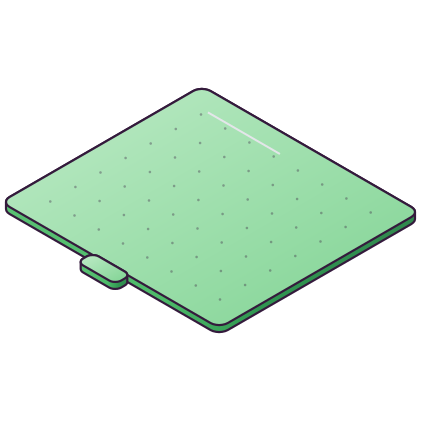
- Bambu says not to use the Cool Plate SuperTack to print TPU.
Applies to
SOURCES 5 quotes from the maker, checked 18 November 2026
SRC 01 Bambu Lab P1S (UK store)
Ideal: PLA, PETG, TPU, PVA, PET, ABS, ASA Capable: PA, PC
Bambu Lab · checked 18 November 2026
SRC 02 TPU printing guide (Bambu Lab Wiki)
AMS 2 Pro AMS lite AMS ... TPU 85A ❌ ✅ ✅ ❌ ⚠️ ❌ ❌ ❌
How to read this: Bambu's AMS table: the AMS 2 Pro, AMS lite and AMS are its last three columns, and the last three marks on the TPU 85A row are ❌ (not usable). On the source page the TPU 75A, 90A and 95A HF rows end with the same three ❌ marks.
Bambu Lab · checked 18 November 2026
SRC 03 TPU printing guide (Bambu Lab Wiki)
TPU for AMS: Can be printed using the regular automatic feeding function of all AMS series products.
Bambu Lab · checked 18 November 2026
SRC 04 TPU printing guide (Bambu Lab Wiki)
TPU 75A( 2.85 mm) TPU 85A TPU 90A TPU 95A HF TPU for AMS H2, X, and P Series ❌ ✅ ✅ ✅ ✅
How to read this: Bambu's printer table: each mark is one TPU grade in the order of the headings. For the H2, X and P series, TPU 75A is marked ❌ (not compatible) and the other four ✅.
Bambu Lab · checked 18 November 2026
SRC 05 TPU printing guide (Bambu Lab Wiki)
Do not use the Cool Plate SuperTack to print TPU.
Bambu Lab · checked 18 November 2026










 Extruder
 Filament cutter
 Wiper and cleaning
 Air filter
 Cooling fans
 AMS and feed parts